
2. Digital Identity on the Blockchain
Interacting with Blockchain Applications
Wallets are unique in the sense that they can not only store digital assets but that they can also act as a universal sign in method. Since each wallet has its own public key and no two keys are alike, this system lets each wallet be used as an account for the person using it.
Imagine signing in with Google, where a website lets you instantly create an account using your Gmail account. There are no extra steps; you just click the button, approve the sign in, and all of your information is automatically added to the new account. Blockchain lets you do the same exact thing, but with no personally identifiable information. When you create a digital wallet, most wallet providers do not require any personal information. You simply create a new wallet and hide your seed phrase. No name, email, phone number, or any other information necessary.
A wallet can be mainly used in two ways: utilizing the blockchain network to send assets to another wallet, or to interact with a blockchain ecosystem through decentralized apps, or dApps. To send assets from one wallet to another, all you need is the receiving wallet’s public key. You just select an asset, put in an amount, and confirm the transaction. Depending on the speed of the network, the receiving wallet will receive the assets within a few seconds to a few minutes.
Similarly, to receive funds all you’d need to do is provide your public key to the other wallet, and they will be able to send you assets directly. This near instant settlement time is possible because there are no middlemen in blockchain. Your assets are going directly from one wallet to another. That is why blockchain is constantly referred to as a peer-to-peer network: assets are going directly from one person to another.
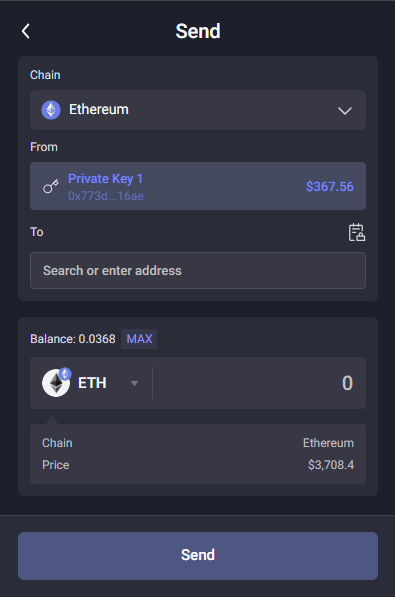
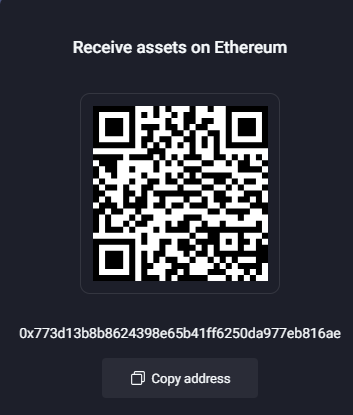
Source: Rabby Wallet
💡 Be very careful when sending assets to other wallets
Since public keys are simply a random collection of numbers and letters, it can be challenging to see the differences between two completely different addresses. If you send assets to the wrong wallet, the transaction cannot be undone and your assets will be lost. Many scammers use this vulnerability to their advantage, where they create addresses very similar to existing ones hoping you won’t notice and send your assets to their wallets instead of the one you were trying to reach.
Make sure to always copy and paste wallet addresses directly from the source where you can prove it is the exact address you are trying to reach.
A recent advancement that makes this process easier and more reliable is the creation of wallet naming services. For example, the Ethereum Name Service (ENS) allows you to buy a name for your wallet similar to how Domain Name Service (DNS) allows users to buy custom domains for their websites. This will allow your wallet address to go from something like ‘0x773d…’ to ‘Johnny.eth’ which makes it significantly easier to share and use your public key.
Check out the ENS domains website to learn more about these domain names.
You can also use your wallet to directly interact with different blockchain ecosystems. There are tons of different networks that exist today including Bitcoin, Ethereum, Solana, Avalanche, and many others that will be covered later on.
Each network has its own suite of dApps, many of which are cross-compatible and can be used across multiple networks. These applications serve tons of different purposes, but today most revolve around financial use cases. One of the most popular dApps is Uniswap, a crypto exchange that is completely decentralized. Uniswap allows users to exchange one cryptocurrency for another and it facilitates tens of millions of dollars worth of transactions on a daily basis. It also supports most of the popular networks including Ethereum, Arbitrum, Optimism, Base, Polygon, and Avalanche.
To use Uniswap, all you need to do is click the connect button and approve the connection between your wallet and Uniswap. This connection is what acts as the sign in, where you are signaling to the Uniswap application that it is ok for it to access your wallet. You can disconnect your wallet from the application at anytime using the disconnect option; it is a common security practice to disconnect your wallet from a dApp once you are done using it.
To then complete a trade, you just select the token you’d like to trade, select the token you wish to exchange it for, enter an amount, and confirm the transaction. You can follow along the process of your transaction getting approved by viewing it directly on the blockchain using a blockchain explorer. All you need to do is click the transaction hash that pops up once your transaction begins processing, and you will be able to see it get approved. Once it’s done, the balance you traded of your initial asset will be deducted from your wallet and the new asset you traded it for will appear.
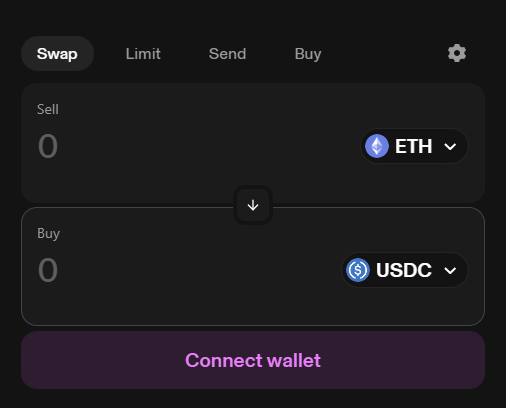
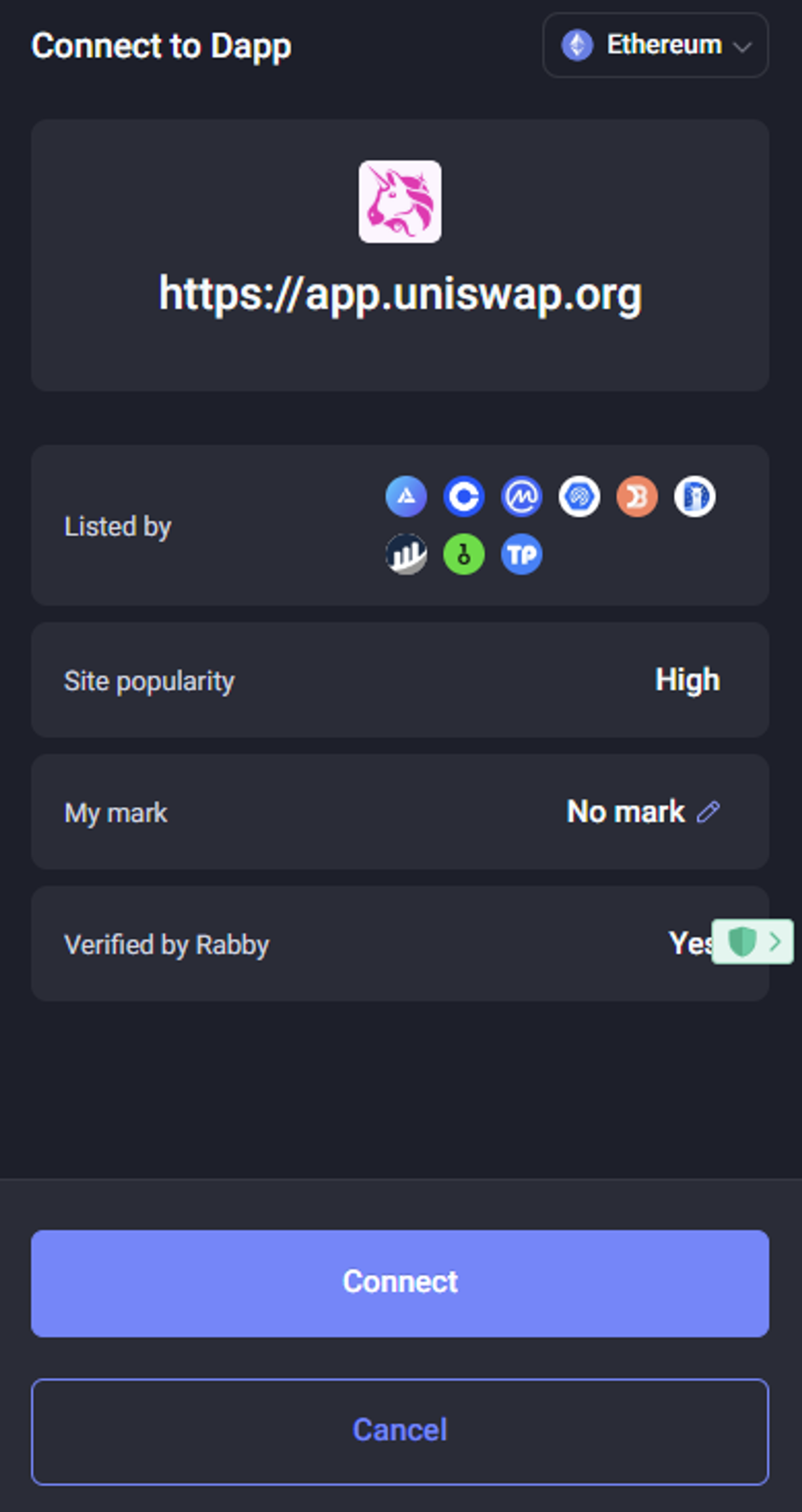
💡 Let’s follow along on an example:
You are looking through cryptocurrencies that you want to invest in and decide you want to buy a token called PENDLE. To do this, you decide to use a popular decentralized exchange called Sushiswap. To complete this trade, you decide to use the token USDC, a cryptocurrency that is pegged to the value of the US dollar each token is always worth exactly $1.
- You connect your wallet to the Sushiswap exchange by clicking the Connect button and authorizing the connection to occur.
- You select USDC as the token you’d like to sell and select PENDLE as the token you’d like to receive.
- You confirm the transaction and use your wallet to sign off on it.
- The conversion occurs and the USDC in your wallet is replaced with the PENDLE you bought.
- You disconnect your wallet from Sushiswap.
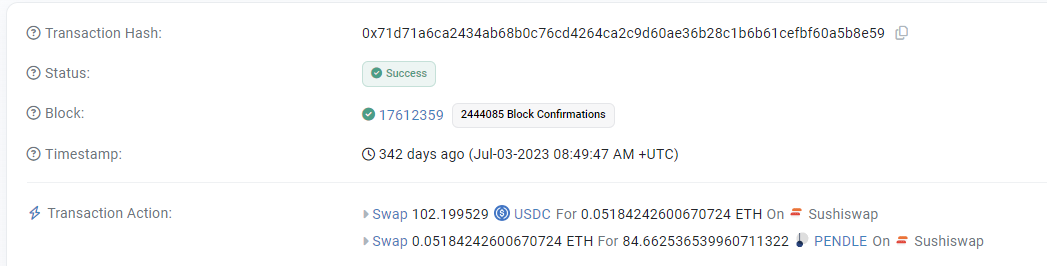
Here is how the transaction would appear on the blockchain network on Etherscan:
Source: Uniswap
Source: Etherscan
You can see the hash that identifies the transaction, the status of the transaction which shows that it was successful, the block number on which the transaction was approved, a timestamp of when it occurred, and the transaction action that shows what occurred. It is shown that in this case, the user swapped 102.19 USDC (~$102.19 in US dollars) which was then swapped into ETH to facilitate the transaction, and that ETH was then swapped into 84.66 PENDLE (also worth ~$102.19 US dollars at the time of the swap). Once that user views their wallet, they will see that $102.19 worth of USDC was deducted from their balance and replaced with $102.19 worth of PENDLE.
Uniswap and Sushiswap are just two examples of the thousands of dApps that exist today. New dApps are constantly being developed for all sorts of purposes, from lending and borrowing crypto to arts and entertainment applications. These will be covered later on as well.
📋 Practice Question